
Timeline Embedding Feature
You can embed information related to your FANSPIRAL and set link buttons for your blog and websites. Embed your posts, profiles and timeline post lists as link buttons.
How to Embed a Post
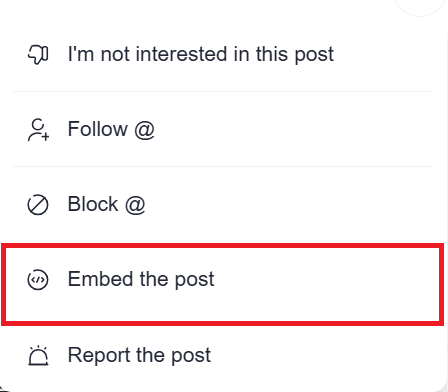
1.Select the post you want to embed and tap “Embed the Post” from the three-dot icon.

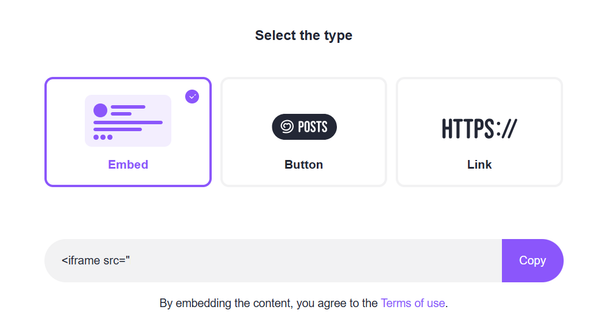
2. Select the embed method between Embed / Button / Link.
Embedding will allow you to directly display the content on your website.
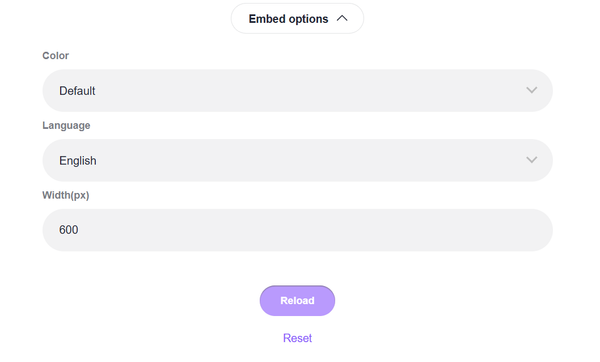
3.Click the [Embedding Options] to customize the color, size etc to stylize to your liking.
Click [Relode] to preview the results.
Click [Reset] to cancel the changes to revert to the state before the changes.
4.Click [Copy] to copy the HTML code. Paste the HTML code to your blog or website to display the content.

How to Embed Profile, Timeline and Post List information.
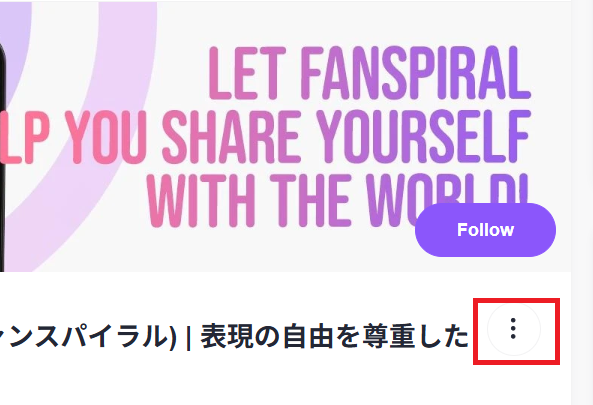
1.Select the timeline you want to embed. You can select between “Share Profile,” “Share Timeline,” or “Share Post List” from the three-dot icon.
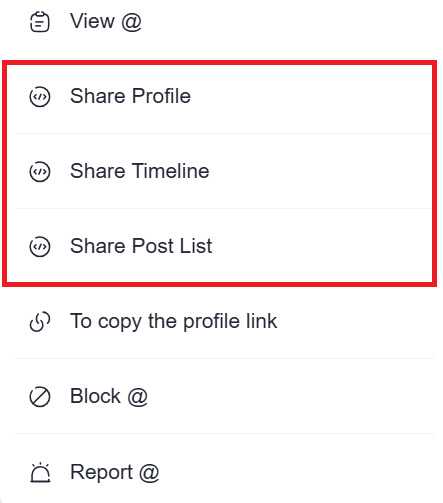
2. Select the embed method between Embed / Button / Link.
Embedding will allow you to directly display the content on your website.
3.Click the [Embed Options] to customize the color, size etc to stylize to your liking.
Click [Relode] to preview the results.
Click [Reset] to cancel the changes to revert to the state before the changes.
4. Click [Copy] to copy the HTML code. Paste the HTML code to your blog or website to display the content.